What It Means to Automate Customer Access and Bookings Without Staff
Automating customer access and bookings without staff works best when the process is treated as a designed system, not a shortcut. The principle is simple: if customers can identify, choose, pay, and confirm on their own in a few clear steps, then service becomes faster, more consistent, and less dependent on labor availability. This matters because every manual handoff adds delay, error risk, and cost, while self-service channels can operate around the clock and scale without adding headcount. The Staffless Business argues that durable automation should remove friction rather than merely replace people, so the best booking systems anticipate questions, enforce rules, and guide decisions before a customer needs help. When access and reservations are transparent, reliable, and easy to use, the business gains efficiency and the customer gains convenience, creating a stronger experience for both.
The promise is simple: you can automate customer access and bookings without staff by connecting discovery, scheduling, payment, identity checks, access control, reminders, support, and recovery workflows. Not as a demo. Not as a nice back-office idea. As the normal way the business runs.
I learned this through the door. In my book, The Staffless Business, I write about sitting in a parking lot waiting for someone to arrive for his booking. His slot had started. I had the phone on the dashboard. I kept watching cars pull in, hoping one was him. That is not a business system. That is a person acting like a doorbell.
The model I use now is cleaner. A customer finds an offer. They check availability. They choose a time. They pay. The system checks the booking rules. It sends access instructions or credentials. The customer uses the service. Then they get follow-up, support, and the next offer without a human being required for the normal path.
This can work for a lot of solopreneur-friendly businesses. Appointment-based consulting. Studio rentals. Coworking pods. Small gyms. Saunas. Storage units. Equipment rental. Courses. Paid communities. Vacation rentals. Workshops. The details change, but the pattern is the same. The customer needs to move from intent to access without waiting on you.
But there is a trap here. Removing staff does not mean removing responsibility. If you automate customer access and bookings without staff, you still own safety, compliance, customer support, refunds, misuse, fraud, and exceptions. The system has to decide what happens when a payment fails. It has to know what to do when a customer loses a code. It has to block the wrong person from getting in. It has to tell you when the risk is too high for automation.
That is the real work
Automating customer access and bookings without staff is not about removing service; it is about redesigning service so customers can help themselves at the moment of need. The core principle, echoed in The Staffless Business, is that a well-designed system should make the right action the easiest action, because clarity and consistency reduce friction better than constant human intervention. When booking, check-in, payment, and access instructions are handled by simple digital flows, the business becomes faster, more reliable, and less dependent on labor availability. This works because customers prefer immediate answers and frictionless transactions, while owners gain predictable operations and fewer errors. In practice, automation turns repetitive front-desk tasks into a stable process, freeing people to focus on exceptions, relationships, and growth. A business that can be booked and accessed automatically is not less human; it is more scalable, resilient, and available.
. You are not trying to pretend humans never cause problems. You are trying to make the normal path strong enough that most customers never need you. Then you build clear escalation paths for the rest.I think of it this way: automate the predictable 80 to 90 percent of bookings and access. Make that boring. Make it repeatable. Make it logged. Then design the unpredictable 10 to 20 percent so it does not wreck your day. If the customer is early, the door should know. If they are late, the window should adjust or close. If they try to bring five people into a booking for one, the condition should fail.
That is what it means to automate customer access and bookings without staff. It is not just a booking page. It is a full chain from promise to usage, with rules strong enough that you do not have to sit in the parking lot anymore.
Map the Customer Journey Before You Automate
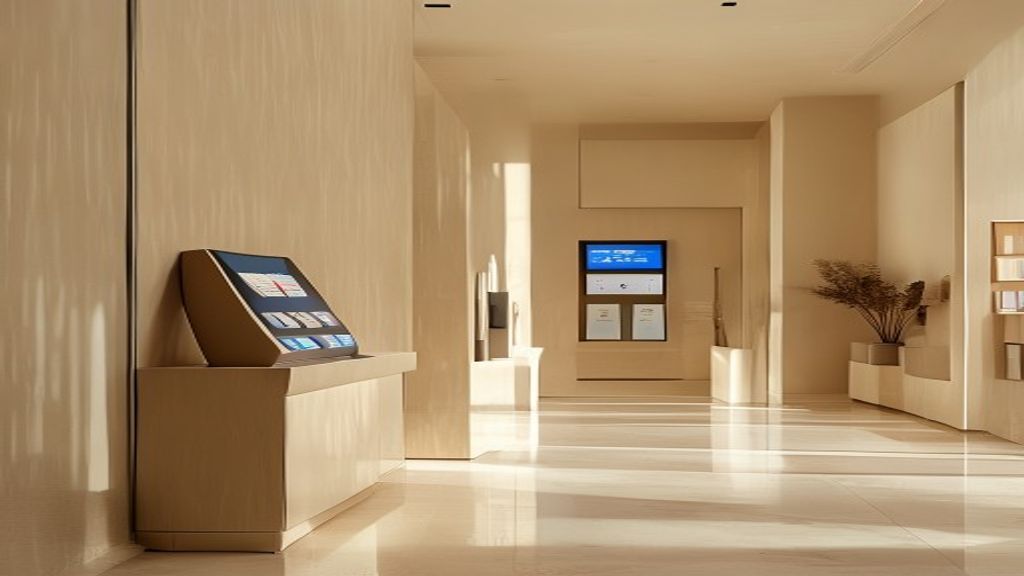
Most automation fails because the founder starts with tools. They buy a booking app. Then a payment tool. Then a smart lock. Then a chatbot. Then they wonder why customers still text them at 9:42 p.m. asking where to park.
I do it the other way now. I map the journey first. Then I choose tools to support the journey. If you want to automate customer access and bookings without staff, the journey matters more than the software.
Break the customer journey into stages:
- Discovery
- Offer selection
- Availability check
- Eligibility or qualification
- Booking
- Payment
- Confirmation
- Access
- Usage
- Support
- Completion
- Review
- Repeat purchase
At each stage, ask three questions. What does the customer need to know? What must the system decide? What could go wrong?
For discovery, the customer needs to know what you offer, who it is for, where it is, what it costs, and what the rules are. The system may need to decide which page, offer, or booking flow to show. What could go wrong? The customer may misunderstand the offer and book the wrong thing.
For availability, the customer needs to know what times are open. The system must decide if the slot is truly available, including buffers, capacity, staffless reset time, and time zone. What could go wrong? The slot looks open, but the room needs cleaning. Or two systems show different calendars.
For eligibility, the customer may need to confirm age, location, membership, waiver, ID, subscription level, or usage history. The system must decide if they are allowed to book. What could go wrong? A person books something they should not be allowed to use.
For booking and payment, the customer needs to know the final price, cancellation rule, refund rule, and what happens next. The system must decide if payment has cleared, if a deposit is needed, if tax applies, and if the booking should be held or confirmed. What could go wrong? Payment fails, the customer thinks they booked, and access is never created.
For access, the customer needs exact instructions. Not vague ones. Which door. Which code. What time the code works. What to do if it fails. The system must decide when to issue credentials, when to expire them, and w
Automating customer access and bookings without staff is not about removing service, but about designing a system that delivers service reliably before a person is needed. In The Staffless Business, the core idea is that clear rules, self-service flows, and automated confirmations reduce friction because customers can act immediately, while the business avoids delays, errors, and repeated labor. When booking, entry, payment, and reminders are handled by software, the experience becomes consistent at any hour, and the owner gains time to focus on exceptions, growth, and quality control. This principle matters because most routine customer requests are predictable, so they should be engineered into a process rather than answered manually. A business that automates access and bookings is not simply cutting costs; it is converting repeatable service into a dependable system that scales without adding staff.
hat events should trigger alerts. What could go wrong? Lost code, late arrival, wrong door, dead battery, lock not opening, or the customer sharing access.For usage and completion, the customer needs rules, checkout steps, and support options. The system must decide if the session ended, if equipment was returned, if a door was left open, if a file should be removed, or if community access should expire. What could go wrong? Damaged equipment, unpaid guests, overstay, chargeback, emergency, or refund request.
Document the happy path first. Write the exact sequence a good customer follows from landing page to successful access. Do not skip small steps. The small steps are where you get pulled back into the business.
Then document exception paths. Failed payment. Wrong date. Lost code. Late arrival. Refund request. Customer not eligible. Lock not opening. Overbooking. Damaged equipment. Emergency support. These are not edge cases if they happen often enough to change your day.
Use this audit prompt: If I were asleep, what would stop this customer from completing their booking and getting access?
That question exposes weak spots fast. It also shows where AI agents, no-code tools, and plain automation should sit. An AI support agent may answer access questions. A rules engine may block risky bookings. A workflow tool may create the access code only after payment clears. A CRM may store ID status, waiver status, and usage history.
If you are building the wider operating system around this, I cover that in How to run a business with AI agents: Staffless OS. The key point here is simple: do not automate a messy journey. Map it, tighten it, then automate it.
The Stack to Automate Customer Access and Bookings Without Staff
The right stack is built by function, not by brand. Tools change. Features move. Pricing changes. What stays the same is the job each part has to do.
To automate customer access and bookings without staff, I want these core components:
- Booking engine: Handles availability, capacity, rules, and customer self-service.
- Payment processor: Takes money, stores payment methods, handles tax, receipts, invoices, and recovery.
- Customer database or CRM: Stores the customer record, status, history, tags, and risk signals.
- Messaging system: Sends confirmations, reminders, instructions, codes, rules, and follow-up.
- Access-control system: Grants and removes physical or digital access.
- Automation layer: Connects events across tools.
- AI support agent: Answers common questions and guides customers through issues.
- Analytics dashboard: Shows bookings, failed payments, no-shows, access issues, and conversion leaks.
- Exception tracker: Captures anything that needed human review, so the system can improve.
The booking engine needs more than a nice calendar. It needs real-time availability. It needs buffer times. It needs capacity rules. It needs cancellation windows. It needs time zone handling. It should sync with calendars where needed, but your source of truth must be clear. It should support deposits, prepayment, custom forms, waivers, and customer rescheduling without a message to you.
The payment processor must do more than collect a card once. Staffless access should usually require payment before access. In some models, you may also need saved payment methods, deposits, authorization holds, taxes, invoices, receipts, and automated failed-payment recovery. If payment fails, the system should know whether to cancel the booking, retry the card, send a link, pause access, or escalate.
Access control depends on the business. A physical space may use smart locks, PIN codes, QR codes, NFC cards, app-based unlocks, license plate recognition, or gate systems. A digital business may use account permissions, paid community roles, gated course access, private links, temporary file access, or expiring credentials.
The important rule is this: access should match the booking condition. Not the customer mood. Not a text message. Not "I am almost there." If the booking is 6:00 to 7:00, the code should work inside the allowed window. If the booking is for one person, the system should not quietly allow five people if that creates a safety, pricing, or misuse problem.
Messaging is where many staffless systems win or fail. Customers do not read long emails when they are standing outside a door. I send the right message at the right time. Confirmation after booking. Pre-arrival instructions before the session. Reminder with parking and rules. Access code close to the start time. Usage rules when needed. Checkout prompt near the end. Review request after completion. Win-back message after a set delay.
The automation layer connects all of this. A booking event should check payment status. Payment should trigger confirmation. Confirmation should update the CRM. The CRM should store waiver and ID status. Access should be created only when the rules are met. Reminders should depend on booking time. Support workflows should open when a customer replies with a problem.
AI agents fit here, but I do not treat them as magic. They are useful when they have clear jobs and safe limits. An AI support agent can answer common questions, validate booking details, explain access steps, check if a customer is inside the booking window, and collect details before escalation. It should not make risky refund calls, override safety rules, or grant access when the system says no.
If you want more examples of where agents fit in a small company, I wrote a separate breakdown here: AI Agents for Small Business: 15 Automation Ideas. For access and booking, the job is not to sound human. The job is to reduce avoidable human involvement while keeping the business under control.
That is the stack I trust. Booking, payment, CRM, messaging, access control, automation, AI support, analytics, and exception tracking. If one part is missing, you will feel it. Usually at the worst time.
Design Booking Rules That Prevent Human Intervention

The best staffless businesses use strict booking logic. Not because the founder is cold. Because ambiguity creates messages, refunds, arguments, and exceptions.
If you want to automate customer access and bookings without staff, your rules have to do the work a front desk person would normally do. The rules must decide when someone can book, who can book, how they pay, when they can cancel, and what happens when they break the terms.
Availability rules
Start with time. Set operating hours, lead time, minimum booking duration, maximum booking duration, buffer periods, cleaning windows, reset windows, blackout dates, time zones, and capacity limits.
A studio rental might require two hours of lead time, a 15-minute buffer between bookings, and no bookings after 10 p.m. A sauna might need a reset window between sessions. A workshop might cap seats at the real number of chairs, not the hopeful number in your head. A storage unit may allow access during set hours only, even if payment is current.
Customer rules
Next, define who is allowed to book. This can include age restrictions, membership status, ID verification, waivers, usage history, subscription tier, location, and payment risk.
A gym may require a signed waiver before the first unlock. An equipment rental business may require ID verification and a saved card. A paid community may grant access only to active subscribers. An appointment-based service may require a qualification form before the calendar is shown.
Payment rules
Payment rules should be clear before the customer reaches checkout. Decide when full payment is required. Decide when deposits apply. Decide how cancellation fees work. Decide if you need damage deposits, authorization holds, auto-renewals, grace periods, or failed-payment handling.
In a staffless model, "I will pay when I get there" is usually a bad rule. It pulls you back into enforcement. The cleaner rule is paid means confirmed, unpaid means not confirmed. For some higher-risk bookings, paid may still not be enough. You may also need ID, waiver, or deposit before access is created.
Cancellation and rescheduling rules
Customers need self-service changes, but not unlimited ones. Set automatic cutoffs. Define partial refunds. Offer credits if that fits your model. Decide how no-shows work. Decide if last-minute rescheduling is blocked, allowed with a fee, or converted to credit.
Strong rules reduce customer confusion. They also reduce the need for live staff. If the cancellation window is clear, the system can apply it. If the code expires at the end of the slot, there is nothing to debate. If a late arrival does not extend the booking, the customer sees the result of the rule, not your personal judgment.
Here are practical examples:
- Staffless studio: Bookings require full payment, signed waiver, one active access code, and a buffer after each session. Codes work only during the booked window.
- Paid community: Access is tied to subscription status. Failed payment starts a grace period, then removes roles and gated content access.
- Equipment rental business: Customer must pass ID check, accept terms, pay deposit, and return the item by the deadline. Late return triggers a fee workflow.
- Appointment-based service: Customer completes an intake form before booking. No intake, no calendar. Rescheduling closes inside the cutoff window.
This is where founders get uncomfortable. They want to be flexible. I understand that. I also know flexibility is often just manual work in nicer clothes. If every customer can negotiate every rule, you do not have automation. You have a custom service with software around it.
The goal is not to punish customers. The goal is to make the fair path obvious and the wrong path hard. That is how you automate customer access and bookings without staff and still keep control of the business.
Turn Access Into a Self-Serve System
Access is where many staffless businesses break. The customer has paid, but cannot enter, unlock, download, join, start, or use the thing they bought. That is the moment your phone starts buzzing. It is also the moment you learn if you built a system or just moved the same manual work into a nicer calendar.
I learned this at the door. A booking came in, the person arrived, and someone still had to be there. For a while, that person was me. Then I saw the real issue. The door was not the door. The door was a condition. If the right person had the right booking, at the right time, with the right payment status, the door should open. If not, it should not.
To automate customer access and bookings without staff, you need to separate the access types first:
- Physical access: doors, gates, rooms, units, studios, gyms, clinics, coworking areas, or rental spaces.
- Digital access: downloads, courses, software, files, videos, gated pages, portals, or paid content.
- Appointment access: calls, sessions, classes, consultations, or timed services.
- Equipment access: lockers, rental gear, vehicles, tools, machines, or shared assets.
- Account access: logins, subscriptions, user roles, billing portals, and member dashboards.
- Community access: Slack, Discord, Circle, private forums, or paid member groups.
For physical locations, the usual stack is simple. Use smart locks or access control hardware that can issue unique codes. Make codes time-limited. Tie each code to one booking. Use cameras where legal, with clear notice. Add an intercom backup if people often arrive confused. Put emergency contacts in the confirmation and on the signage. Make the entry instructions boring and exact: where to park, which door to use, what code format to enter, what to do if the lock blinks red, and when access starts.
For digital products and communities, access should be just as controlled. Provision the account after purchase. Assign role-based permissions. Use license keys where needed. Send expiring links instead of permanent links. Gate the content behind the customer account. Use passwordless login if it reduces support. Send automated onboarding emails that explain how to start, what is included, and what is not included.
For equipment or rental assets, access needs a check-in and check-out path. Lockers can hold gear. QR codes can open instructions, forms, or asset records. A check-in form can confirm the customer has arrived. A check-out form can confirm return. Deposits or authorizations can reduce risk. Usage instructions should be sent before arrival and placed near the asset. Damage reporting should be easy, with photos. Return verification should be logged, not guessed.
The rule is simple. Access is granted only after the required conditions are met. Payment received. Waiver signed. Identity verified if needed. Booking active. Risk score acceptable. If one of those conditions fails, the system should pause access and tell the customer what to fix.
I like sending access instructions in layers. First, the confirmation summary. Then a pre-arrival reminder. Then a just-in-time access message near the start time. Then a troubleshooting link if they get stuck. This lowers panic. It also lowers random messages like, "Where is the code?"
Access also needs an end. Codes, permissions, links, and credentials should expire after the booking ends. If payment fails, access should be revoked. If a subscription cancels, the role should change. Staffless does not mean loose. It means the rules are enforced by the system instead of by your mood at 9:17 p.m.
Use AI Support Without Creating a Customer Service Trap

AI support is useful when it sits on top of a clean process. It is not useful when it is bolted onto a broken booking flow. If your terms are unclear, your access codes fail, and your cancellation policy lives in your head, an AI agent will only answer badly at scale.
I use AI support as a layer that reduces interruptions. The goal is not to pretend no human exists. The goal is to stop simple questions from reaching me every hour. A good agent can answer booking questions, explain availability, clarify pricing, explain the cancellation policy, help with access problems, give directions, show how to reschedule, and handle basic account issues.
It should not handle everything alone. Emergencies need a human path. Legal disputes need a human path. High-value refunds need review. Safety incidents, harassment, suspected fraud, and anything that requires judgment should escalate. If the issue could harm a person, create liability, or change money in a serious way, do not leave it to an unsupervised agent.
The agent needs a real knowledge base. That means policies, booking rules, location instructions, screenshots, refund rules, escalation criteria, and customer-facing scripts. I do not want the agent guessing. I want it pulling from the same rules the business actually follows. If the help center says refunds are allowed until 24 hours before a booking, the agent should say that. If late arrivals do not extend the session, the agent should say that too.
A practical AI-assisted support workflow looks like this:
- The agent summarizes the customer issue.
- It checks the booking status.
- It verifies payment or authorization.
- It resends the access code if the booking is active.
- It gives step-by-step troubleshooting.
- It escalates if the problem is not solved.
This is where AI agents make sense for founders and solopreneurs. They remove repeat work. They give faster answers. They keep the customer experience consistent across time zones. If you want my broader operating model, I wrote more about it in How to run a business with AI agents: Staffless OS.
You still need guardrails. Set confidence thresholds. Define escalation triggers. Keep audit logs. Get customer consent where required. Use clear language that the customer is interacting with automation. Do not hide the system. Clear beats clever.
The trap is thinking AI support replaces operational design. It does not. If you want to automate customer access and bookings without staff, the agent is there to explain and repair the normal path. It is not there to make up rules while the business leaks trust.
How to Automate Customer Access and Bookings Without Staff Step by Step
Do not automate the whole business first. That is how people build a mess. Pick one offer. One room. One class. One rental item. One digital product. One repeat service. Make that path work without you, then expand.
Here is the sequence I use when I want to automate customer access and bookings without staff.
- Choose one offer to automate first. Pick the offer with clear rules and low edge-case risk. If the offer needs constant judgment, start somewhere else.
- Define the rules. Write the booking rules, eligibility rules, payment rules, and access rules. When can people book? Who is allowed? What must they sign? When does access start? When does it end?
- Build the booking flow. Show live availability, price, terms, cancellation policy, and required forms before checkout. Do not hide the rules in tiny text and then act surprised when customers miss them.
- Connect payment. The customer should not receive access until payment or authorization is complete. For rentals, that may mean a card authorization or deposit. For subscriptions, that may mean an active billing status.
- Automate the messages. Send confirmations, reminders, access instructions, and post-use follow-ups. Each message should answer one question before the customer asks it.
- Connect access control. Generate the code, permission, link, or credential automatically. Expire it automatically. If the booking changes, the access window should change too.
- Build a self-serve help center. Cover the common problems first: changing a booking, finding access details, failed payment, cancellation, late arrival, lost code, and trouble entering.
- Add an AI support agent. Train it on the help center and booking policies. Let it answer basic questions, check status, and send the customer to the right next step.
- Create escalation rules. Decide what needs human review. Refund disputes, safety issues, access failures during active bookings, fraud signals, and angry customers should not float around in a queue with no owner.
- Test the full journey. Use real scenarios before you remove manual oversight. The system should fail safely, not loudly.
Testing is where most people lie to themselves. They test the happy path once and call it done. I test the annoying paths because those are the ones that wake you up.
- A customer books correctly and gets the right access instructions.
- A customer changes the date and the access window updates.
- Payment fails and no code is sent.
- An access code fails and the customer gets a troubleshooting path.
- A customer arrives early and cannot enter before the allowed time.
- A customer cancels late and the policy is applied.
- A customer asks for a refund and the issue goes to the right review path.
- A customer tries to access outside the booking window and the credential does not work.
I also like phased rollout. First, run in shadow mode. The automation sends drafts or internal alerts, but you still watch it. Then run a limited beta with a small group or low-risk offer. Then allow automation during low-risk hours. After that, move to full automation.
This is the same idea I use across the whole staffless model. A business that runs without me is not magic. It is a chain of normal paths that work without me, plus abnormal paths that have rules. I wrote more about that in business that runs without me: Build Your System.
If you are building from scratch, keep the tool stack simple. You may use a booking platform, payment processor, form tool, email or SMS automation, access control system, help center, and AI support agent. Add more only when the workflow demands it. More tools can create more failure points. I covered more agent ideas here: AI Agents for Small Business: 15 Automation Ideas.
The main thing is not the tool. It is the condition. Paid means access can be created. Unpaid means access cannot be created. Active booking means the door, link, role, or code works. Expired booking means it does not. That is how you automate customer access and bookings without staff in a way that holds up when customers act like customers.
Measure, Improve, and Protect the Staffless Booking System
A staffless system should be monitored like a product. It is not a set-and-forget tool. If you ignore it, customers will show you the weak spots through support tickets, refunds, bad reviews, and strange behavior at the edge of your rules.
I track the boring numbers because they point to the real work:
- Booking conversion rate
- Payment failure rate
- Access failure rate
- Support tickets per booking
- Refund rate
- No-show rate
- Average resolution time
- Repeat bookings
- Customer satisfaction
If customers keep asking where to park, the parking instructions are not clear enough. If they keep saying they never got the code, your message timing or deliverability needs work. If people abandon the booking flow at the waiver step, the form may be too long or placed too early. If access failures spike, check the lock battery, API connection, code window, and timezone settings before blaming the customer.
I run improvement loops weekly or monthly, depending on volume. Update the help articles. Simplify instructions. Adjust booking rules. Improve reminders. Rewrite the AI agent responses that caused confusion. Remove steps that do not reduce risk. Add steps only when they stop a real failure.
Security matters more when no one is standing there. Use unique codes. Limit access windows. Run fraud checks where needed. Keep logs. Back up key systems. Review insurance. Write emergency procedures. Follow local laws around cameras, access control, data, waivers, and safety. If you are building the wider environment around this, my guide on How to Build a Staffless Business Environment is a useful next step.
Staffless also does not mean no fallback. It means no staff are needed for the normal path. Rare cases still need a human. That might be you, a contractor, an on-call technician, a locksmith, a cleaner, a security vendor, or an emergency service. Define that before the failure happens.
Cost also matters. Smart locks, booking systems, payment tools, SMS, AI agents, and support software all add up. I would rather pay for the few systems that remove daily interruptions than save money and become the access desk myself again. I break down the thinking in Cost of Building a Staffless Business With AI Agents.
The key takeaway is simple. The business runs without staff when the normal path is automated and the abnormal path is controlled. That is the lesson from the door. Not that every customer behaves perfectly, but that the system should not depend on them doing so.
This post expands one chapter from my book, The Staffless Business. If you want the full model for building a business around systems, agents, and controlled access instead of constant human coverage, you can get the book here: The Staffless Business.
Frequently asked questions
How do I let customers book and get access without hiring staff?
Use a booking system, connect payment, collect required forms, then trigger access only after the booking is valid. The access can be a door code, account role, license key, meeting link, locker code, or gated content permission. Test the full path before you stop watching it manually.
What tools do I need to automate bookings and door access?
You need a booking platform, payment processor, automation tool, messaging tool, and access control system. For a physical door, that usually means a smart lock or commercial access control system that supports unique, time-limited codes. You may also need cameras where legal, signage, backup contacts, and an AI support agent.
Can I automate customer access if my business is not a physical location?
Yes. Digital access can be automated with account provisioning, role-based permissions, expiring links, gated content, license keys, and automated onboarding emails. The same rule applies: access starts after the right conditions are met and ends when the booking, license, or subscription ends.
How do I stop customers from getting access before they pay?
Make payment or card authorization a required condition before access is created. Do not send codes, links, credentials, or community invites until the payment status is confirmed. If payment fails later, the system should revoke access or pause the account automatically.
What happens if the access code or booking automation fails?
Build a failure path before you need it. The customer should get a troubleshooting link, a way to resend the code, and a clear escalation option if the booking is active and access still fails. You should also log the issue so you can see if the problem is the lock, the code window, the payment status, or the instructions.
Is it safe to run bookings and customer access without staff on site?
It can be safe if the system is designed around rules, logs, limited access windows, and clear emergency procedures. Use unique codes, identity checks where needed, cameras where legal, insurance, and a human fallback for rare cases. Staffless does not mean careless, it means the normal path does not require a person standing there.
This is one system from a business that runs without staff. The full playbook is in the book.
Get the book on Amazon