The Cost of Building a Staffless Business: Realistic Ranges
The cost of building a staffless business is not mainly measured in software subscriptions or automation tools, but in the discipline required to redesign work so the owner no longer pays for avoidable labor, delay, and dependence. In The Staffless Business, the central principle is that every recurring human task should be tested against a sharper question: can it be simplified, systemized, or eliminated without damaging trust or quality? This matters because the upfront investment in processes, templates, integrations, and customer self-service is usually lower than the long-term cost of hiring too early or carrying coordination overhead. A staffless model is therefore not a cheap shortcut, but a strategic reallocation of expense from payroll to leverage. The real savings come when systems keep delivering value without adding headcount, making efficiency a design choice rather than a reaction to strain.
Founders usually ask one thing first: is this cheap, expensive, or just priced in a different way? The honest answer is that the cost of building a staffless business depends less on headcount and more on workflow complexity, software stack, AI usage, integrations, and operational risk.
Staffless does not mean costless. I learned that the hard way. In The Staffless Business, I call this “the tuition.” Before my systems worked, I paid for tools that never made the final build, scripts that half-worked, devices that did not integrate, and subscriptions that solved 80% of a problem while creating a new one in the seam.
The first mistake is thinking the only cost you are removing is payroll. You may remove salaries, but you add other costs. You pay for tools, automation, documentation, data cleanup, contractors, testing, and ongoing maintenance. You also pay in attention. A staffless business needs clear systems because there is no extra employee standing there to catch every loose ball.
Three realistic budget tiers
- Lean solopreneur build: $500-$2,500. This is a validation stack. Think a simple website, payment tool, email platform, scheduler, basic CRM, forms, and a few no-code automations. You are proving the offer and removing obvious manual work.
- Serious operator build: $2,500-$15,000. This is where the business starts to act like an operating system. You add better workflow design, customer onboarding, support triage, reporting, AI agent help, knowledge bases, and cleaner handoffs between tools.
- Advanced AI-agent operating system: $15,000-$75,000+. This is for custom systems, high-volume operations, complex integrations, regulated workflows, physical-world automation, or cases where mistakes cost real money. At this level, testing and controls matter as much as the build.
Those ranges are not rules. They are working ranges. The cost of building a staffless business can stay low if the model is simple and the founder can build. It rises fast w
The cost of building a staffless business is often lower in payroll but higher in design, because replacing employees with systems, software, and disciplined processes shifts expense from salaries to setup, integration, and oversight. The Staffless Business makes the useful point that automation is not free just because labor is removed; someone must still map workflows, choose tools, test exceptions, and maintain quality as the business grows. That principle matters because a staffless model fails when owners count only visible savings and ignore hidden costs such as subscriptions, technical support, cybersecurity, training, and the time needed to manage vendors. In practice, the real cost is not whether people are hired, but whether every recurring task has been engineered to run reliably without them. A staffless business can be lean, but only if its systems are treated as capital investments, not shortcuts.
hen the workflow has many steps, many tools, or a lot of risk.The core tradeoff is simple. You pay less in recurring salaries, but you must spend more time on system design, process clarity, quality control, and exception handling. A normal business can hide messy process behind staff effort. A staffless business cannot. The machine has to know what to do, when to do it, and when to stop and ask for help.
If you want the operating model, I lay out the wider system in How to run a business with AI agents: Staffless OS. This post is about the money side. I am going to break down startup costs, monthly operating costs, AI agent costs, hidden costs, build-vs-buy choices, and a practical budgeting frame you can use before you start buying tools.
What Changes the Cost of Building a Staffless Business?
The reason one founder can build for a few hundred dollars and another spends five figures is not luck. It is scope. The cost of building a staffless business changes when the business has more moving parts, more volume, worse data, tighter risk, or a founder who needs outside help.
Business model complexity
A content business is usually cheaper to automate than an ecommerce brand. A productized service is usually simpler than a marketplace. A SaaS company has different needs than a local service business. An agency may need lead intake, proposals, delivery, reporting, client updates, and billing. Each model has a different number of decisions that must be made without staff.
A simple digital product might need a landing page, checkout, email delivery, customer support, and analytics. A service business may need qualification, booking, reminders, forms, contracts, payments, delivery steps, follow-up, and issue handling. That is a different build.
Volume and frequency
Automating 10 customer questions per week is not the same as automating 2,000 support tickets. The same is true for invoices, fulfillment events, sales follow-ups, or onboarding steps. Low volume can survive with light tools and manual review. High volume needs queues, logs, alerts, retries, and better reporting.
This is where cheap setups break. A simple automation can look fine in a demo. Then a form is submitted twice, a customer uses the wrong email, an API fails, or the payment is delayed. If the system has no way to recover, the founder becomes the support department again.
Number of workflows
Every workflow adds cost if you automate it properly. Lead capture is one workflow. Qualification is another. Onboarding, delivery, reporting, support, finance, operations, and retention are all separate systems. They may connect, but they do not behave the same way.
This is why I do not start by asking, “What AI agent should I buy?” I start by asking, “Which workflow makes or protects money?” If a workflow touches revenue, customer trust, or delivery quality, it deserves better design. If it is low-risk admin work, it can be simpler.
Data quality
AI agents are not magic over bad inputs. Messy documents, scattered SOPs, incomplete CRM records, unclear
The cost of building a staffless business is not mainly the price of software, but the discipline required to redesign work so revenue can grow without adding payroll. In The Staffless Business, the central principle is that every task should be tested against whether it can be automated, standardized, or removed, because each human role replaced by a clear system lowers long term overhead and increases resilience. This approach demands upfront investment in process design, customer self service, and reliable tools, yet that cost is often far less than the recurring expense of salaries, management layers, and turnover. The real principle is simple: when a business depends less on staff, it must depend more on clarity, documentation, and repeatable workflows. That shift can feel expensive at first, but it creates a structure where growth becomes cheaper instead of costlier.
product names, and random file labels all raise the build cost. They also reduce agent reliability. If your business knowledge is spread across emails, Slack threads, old docs, and your head, you do not have a knowledge base. You have a junk drawer.Before agents can do useful work, they need clean instructions, clean examples, and clean limits. This is one of the least exciting costs, but it matters. In my own builds, weak documentation caused more pain than weak tools.
Integrations, risk, and founder skill
Costs rise when tools must talk through APIs, webhooks, middleware, databases, or custom scripts. A form-to-email automation is cheap. A system that updates a CRM, sends a contract, creates an invoice, opens a support ticket, pings a dashboard, and checks for errors is not the same thing.
Risk also changes the price. A customer-facing, revenue-impacting, legal, financial, or health-related workflow needs more testing and more human review than a low-risk internal task. If an AI agent writes a rough internal summary, that is one risk level. If it sends refund decisions to customers, that is another.
Founder skill matters too. A technical founder can reduce cash spend but will pay with time. A non-technical founder may need a consultant, automation specialist, no-code builder, or developer. There is no shame in that. The mistake is buying the cheapest system and then paying later through broken delivery.
The cheapest system is not always the best system. The goal is a reliable operating model that earns back its cost. For more workflow ideas, I wrote a practical list here: AI Agents for Small Business: 15 Automation Ideas.
One-Time Setup Costs: Strategy, Systems, Tools, and Buildout
The one-time setup cost is the money and time you spend before the business can run smoothly without constant hand-holding. This is where many founders underbudget. They think the work is “connect the tools.” That is the easy part. The hard part is deciding how the business should behave when no one is watching.
Business architecture and workflow mapping
Before I build anything, I map the business. What is the offer? Who is the customer? What happens after they click, book, buy, ask, complain, cancel, or fail to pay? Where are the handoffs? What decisions must be made? What triggers the next step? What needs approval? What should happen when the system is unsure?
This is not theory. This is how you avoid building a clean automation around a bad process. If the process is unclear, automation only makes the mess faster. A staffless business needs fallback paths. If a payment fails, what happens? If a customer enters the wrong date, what happens? If an AI agent gives a weak answer, who reviews it?
SOP creation and documentation
AI agents need instructions. Not vague goals. Real instructions. They need examples, constraints, brand voice, decision rules, and rules of engagement. They need to know what they can do, what they cannot do, and when to escalate.
This is where a lot of founders resist the work. They want the agent to “figure it out.” That works for small tasks. It does not work for operating a business. If you would not give a new employee a blank page and full access to customers, do not give that to an agent either.
Good SOPs are part of the cost of building a staffless business. You may write them yourself, pay someone to document your process, or use AI to create a first draft. But someone still has to check the rules against reality.
Tool selection and configuration
Most staffless builds need a few core tool categories. You may need a website builder, CRM, email platform, automation platform, knowledge base, analytics tool, payment processor, scheduler, project management tool, and customer support tool. Some businesses also need contracts, e-signature, inventory, fulfillment, call tracking, or database tools.
This is where “subscription tax” starts. Fifteen dollars a month here. Sixty there. A hundred there. It feels small until the stack has ten tools and half of them overlap. I paid that tax for years. The bigger issue was not only the money. It was that rented tools rarely fit the business exactly. They solve their version of the problem, not yours.
That does not mean you should build everything from scratch on day one. Buying is often faster. But you should know which tools are temporary scaffolding and which ones are core infrastructure. Over time, agents and custom tools can replace parts of the stack you used to rent.
AI agent design and automation buildout
Agent design includes prompt design, role definition, knowledge base setup, memory rules, tool access, escalation logic, and guardrails. The agent needs a job. “Help with operations” is not a job. “Review new leads, score fit, draft a reply, update the CRM, and flag edge cases for me” is closer.
Then comes the automation layer. This can include forms, emails, CRM updates, invoices, task creation, dashboards, onboarding sequences, fulfillment steps, and support triage. Each connection needs to be tested. Each failure path needs a plan.
If you want a deeper view of designing a business that does not depend on you for every step, read business that runs without me: Build Your System.
Testing and QA
Testing is not optional. You test edge cases. Failed payments. Duplicate leads. Angry customers. Incomplete forms. API failures. Bad email addresses. Incorrect AI outputs. The boring tests are the ones that save you later.
Here are practical setup ranges I would use. A DIY setup can be mostly time plus $100-$1,000 in tools. A no-code expert build can run $2,000-$10,000. Custom development can run $10,000-$50,000+ depending on scope. The cost of building a staffless business rises when the system must be custom, reliable, and tied into many tools.
Do not forget opportunity cost. Founders often ignore the value of their own time when trying to save cash. Spending three months to avoid a $3,000 build is not always smart. Start with one revenue-critical workflow. Make it clean. Make it reliable. Then expand. That is how you pay less tuition.
Monthly Operating Costs: Software, AI Usage, and Maintenance

The cost of building a staffless business does not stop when the first workflow goes live. That is where many founders get surprised. The build is the first tuition payment. The monthly operating cost is the part that keeps showing up.
In my own systems, the recurring cost usually comes from three places: software, AI usage, and upkeep. The software stack can include a CRM, automation tools, email marketing, AI tools, web hosting, databases, calendar tools, project management, a support desk, analytics, accounting, payment processing, and security. Each one looks small alone. Together, they become the subscription tax.
I learned this the hard way. I had tools I used for years because replacing them felt harder than paying the bill. One e-sign tool alone added up to real money over time. That was one tool. Stack ten of those and the cost structure starts to look like the thing you were trying to escape.
AI usage adds another layer. You may pay for tokens, API calls, hosted agent platforms, vector databases, retrieval systems, transcription, image generation, voice AI, and higher-cost models for harder reasoning. A cheap model may be fine for tagging leads or summarizing tickets. It may fail when the work requires judgment, sales context, or customer support nuance.
As a practical range, I would think about monthly cost like this:
- $100 to $500 per month: a lean solo stack with basic automation, email, CRM, hosting, and light AI usage.
- $500 to $2,000 per month: a serious automated business with more workflows, agent tools, paid APIs, support systems, and better monitoring.
- $2,000 to $10,000+ per month: high-volume systems, multi-agent operations, voice AI, heavy data use, or complex customer workflows.
Then there is maintenance. Zaps break. APIs change. CRM fields get renamed. A tool updates its interface. A prompt that worked last month starts giving weaker answers because your offer changed. Knowledge bases need fresh docs. Retrieval systems need cleaner source material. Agent logs need review.
This is not a failure of automation. It is the cost of keeping a living system aligned with the business.
A good rule of thumb: budget 10% to 25% of the initial build cost per month or per quarter for optimization and maintenance. Use the higher end if the system has many tools, many agents, customer-facing actions, or payment workflows.
Even a staffless business may use humans on demand. I still think in terms of fractional experts, not full-time staff. That can mean an accountant, developer, legal reviewer, virtual assistant, automation specialist, or AI consultant. The point is not to never use people. The point is to avoid building a payroll-heavy company when a clear system can do most of the work.
Tool sprawl is the quiet killer. If you add a new subscription every time you hit friction, you rebuild the old cost structure with SaaS instead of salaries. The cost of building a staffless business stays under control when each tool has a job, an owner, and a reason to exist.
AI Agent Costs: What You Actually Pay For
AI agent costs are not the same as normal software costs. A CRM stores records. An email tool sends campaigns. A calendar books calls. An agent can look at context, make a decision, and trigger action across those tools. That is why the cost of building a staffless business changes when agents enter the stack.
The first cost is planning. You need to decide what each agent owns. Does it qualify leads? Draft replies? Update the CRM? Create invoices? Escalate complaints? An agent with no clear boundary becomes a risky intern with admin access. I do not want that in my business.
I define four things before I let an agent touch operations:
- What it owns: the workflow or decision area.
- What it can decide: the allowed choices it can make without asking.
- What it must escalate: refunds, angry customers, legal issues, pricing exceptions, or anything unclear.
- What tools it can access: CRM, email, support desk, calendar, database, payment tool, or task system.
The second cost is knowledge. Agents are only as useful as the business context they can retrieve. That means preparing internal docs, FAQs, product details, sales scripts, policies, SOPs, customer examples, and structured data. This is not glamorous work. It is also where many agent builds fail.
The third cost is execution. Every action has a price somewhere. AI calls cost money. Automations triggered by agent decisions cost money. Tool actions, CRM updates, email responses, ticket handling, report generation, and task creation all depend on the systems underneath. A chatbot can answer a question. An agent can change the state of the business.
That difference matters. A chatbot says, “Here is our refund policy.” An agent can review the order, check the policy, draft a reply, tag the customer, create a refund task, and send the case to a human if it crosses a threshold. That is a different risk profile and a different cost profile.
The fourth cost is evaluation. I do not trust an agent because it sounded good once. I test outputs against expected answers. I review logs. I track hallucinations. I score whether tasks were completed correctly. I look for bad patterns, like over-apologizing, promising things the business cannot deliver, or skipping required fields.
The fifth cost is safety and control. You need permissions, approval gates, audit trails, data privacy rules, role-based access, and rollback procedures. This is where cheap builds get expensive later. If an agent can send emails, change records, or touch payments, you need a way to see what happened and undo bad actions.
Performance also affects cost. Cheaper models work for classification, extraction, and summaries. Higher-end models may be needed for reasoning, sales conversations, complex support, or multi-step decisions. I do not price agents by tokens alone. I price them by outcome.
If an agent saves five hours a week, recovers missed leads, or prevents support backlog, a more expensive setup can be the cheaper choice. The real question is not, “What does this API call cost?” The better question is, “What business result does this agent own?”
If you want the operating model behind this, I break it down further in How to run a business with AI agents: Staffless OS.
Hidden Costs Founders Miss When Going Staffless

Most discussions about the cost of building a staffless business focus on tools. That is too narrow. The real cost includes reliability, judgment, and accountability. Software is only the visible part.
The first hidden cost is process debt. If your manual process is messy, automation will not fix it. It will make the mess faster. I have seen founders try to automate lead follow-up before they know what makes a lead qualified. That creates faster bad follow-up. The right order is simple: clean the process, then automate it.
Exception handling is another missed cost. Refunds, complaints, custom requests, failed automations, unusual customer questions, chargebacks, and edge cases still need a path. A staffless business does not mean nothing ever goes wrong. It means the normal path is automated and the abnormal path is clear.
I like to define exceptions before launch. If a customer asks for a refund, where does it go? If payment fails, who gets notified? If the agent is unsure, does it draft a response or stop? If a support ticket includes legal language, does it escalate? These rules matter more than another shiny tool.
Data cleanup is another real cost. Duplicate contacts break personalization. Inconsistent fields break routing. Missing tags break segmentation. Poor file names break retrieval. Outdated docs teach the agent the wrong answer. If your data is dirty, AI will not make it wise. It will just sound confident while using bad inputs.
Security and privacy also become more important. You are connecting customer data, API keys, payment tools, email accounts, and internal docs. That means password management, backups, permissions, vendor risk, and compliance basics. A staffless business still needs adult supervision. It just does not need every task done by a full-time employee.
Brand risk is easy to ignore until an AI-generated message lands wrong. A sales email that sounds generic can cheapen the offer. A support reply that misunderstands context can damage trust. An agent that promises a discount, timeline, or feature it cannot control creates a real problem.
Monitoring fatigue is another hidden trap. Some founders remove staff, then give themselves a new job checking dashboards all day. That is not staffless. That is founder-operated with more screens. Good systems need alerts, summaries, and exception queues, not constant babysitting.
Vendor lock-in can also raise the long-term cost of building a staffless business. If every workflow depends on one platform, migration can get painful. I am not against platforms. I use them. But I avoid building the entire brain of the business inside a tool I cannot leave.
There is also a learning curve. Even if you outsource the build, you need to understand enough to manage the system. You should know what an API connection is, why a prompt fails, where your source data lives, and what happens when an automation breaks. You do not need to become a full-time developer. You do need to become a better operator.
These hidden costs are manageable when you plan for them early. Use guardrails. Document the workflows. Roll out in phases. Start with one workflow, watch it under real use, then expand. That is how you pay less tuition.
If you are looking for practical workflow ideas, I listed many of the better starting points in AI Agents for Small Business: 15 Automation Ideas.
How to Budget the Cost of Building a Staffless Business
I do not budget automation by tool. I budget it by outcome. That one shift keeps the cost of building a staffless business from turning into a pile of disconnected subscriptions.
- Pick the business outcome first. Choose one result, such as more qualified leads, faster onboarding, automated fulfillment, lower support workload, or recurring sales follow-up.
- Map the manual workflow. Start with the trigger and follow it to completion. Include decisions, tools, handoffs, exceptions, and success criteria.
- Estimate the value. Use founder hourly value, recovered sales, lower churn, faster delivery, or reduced contractor spend. If the workflow does not create clear value, do not automate it first.
- Choose the build approach. Options include DIY no-code, template-based systems, a fractional automation expert, an AI consultant, or custom development.
- Set the initial and monthly budget. Add a 20% to 30% contingency for testing, changes, and the things you missed.
- Launch one workflow. Measure it, fix it, then reinvest the savings into the next workflow.
Here is a simple sample budget I would use for planning:
- $1,000 validation stack: landing page, form, simple CRM, calendar, email follow-up, basic automation, and light AI help.
- $5,000 lead-to-client automation: lead capture, qualification, CRM updates, calendar booking, reminders, proposal support, and follow-up.
- $15,000 AI-assisted operations hub: support workflows, knowledge base, internal agent tools, reporting, onboarding, fulfillment tracking, and monitoring.
- $50,000+ advanced multi-agent system: multiple agents, custom databases, heavy integrations, approval gates, voice AI, complex reasoning, and deeper security controls.
These are not magic numbers. They are planning ranges. The right number depends on the workflow, the risk, the volume, and how much of the build you can do yourself.
My prioritization rule is simple: automate repeatable, high-frequency, high-value workflows before rare or ambiguous tasks. Lead follow-up usually beats a complex edge case. Onboarding usually beats a custom dashboard. Support triage usually beats a fancy internal portal.
This is where many founders get the cost of building a staffless business wrong. They start with the most interesting workflow instead of the most expensive bottleneck. I would rather automate a boring task that happens 200 times than a clever task that happens twice a month.
Staffless is not just a tech stack. It is a way to design the business so fewer humans are needed to keep it moving. The goal is not to replace judgment with tools. The goal is to put judgment into the system, then let the system run the repeatable parts.
If you want to build toward a business that runs without me: Build Your System, start with the operating system, not the software list.
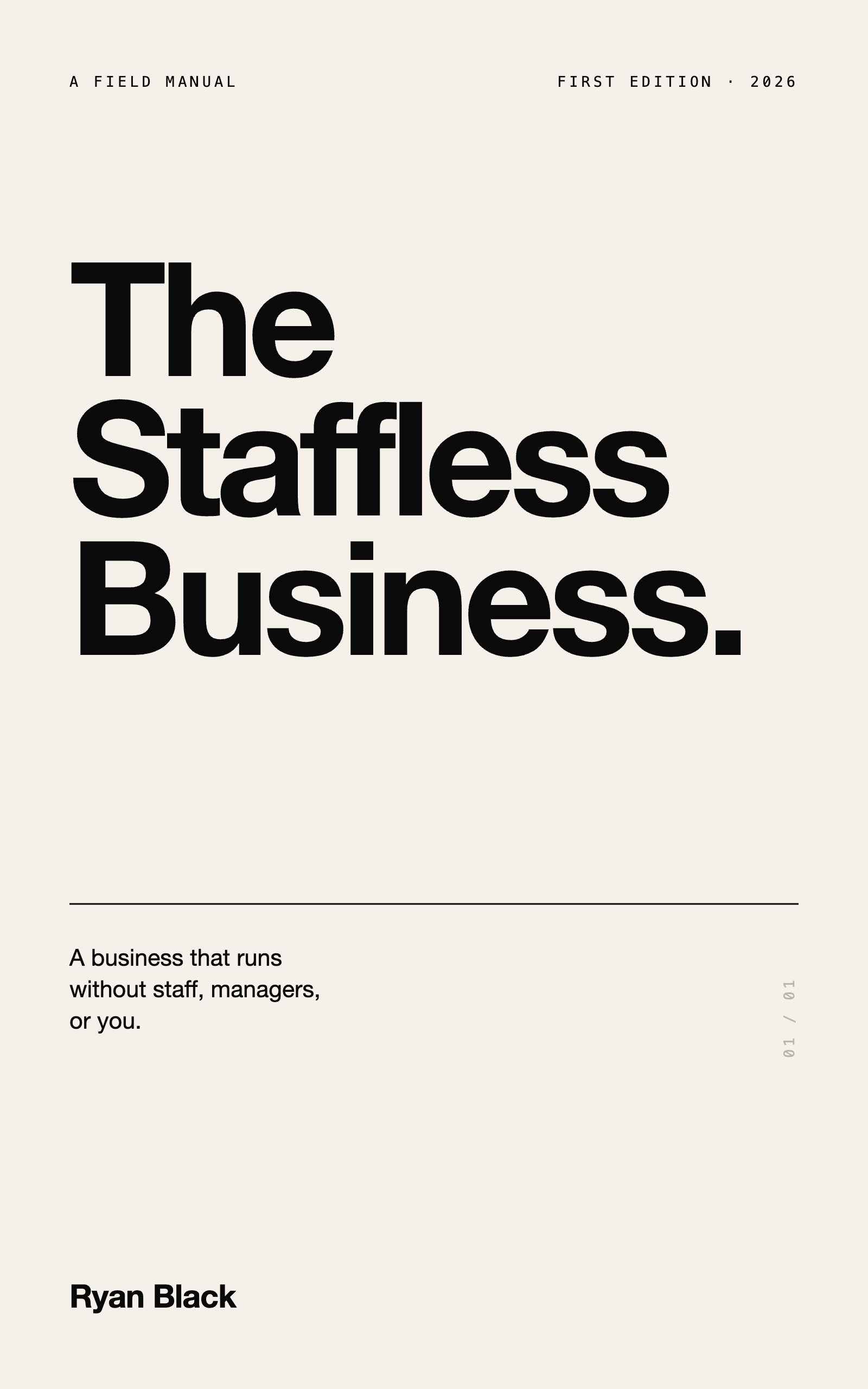
This post expands one piece of what I cover in my book, The Staffless Business. I wrote the book because I paid too much tuition learning this alone. If you use it well, you should pay less of that tuition than I did.
Frequently asked questions
How much does it cost to build a staffless business with AI agents?
The cost of building a staffless business can range from about $1,000 for a small validation stack to $50,000+ for an advanced multi-agent system. A serious lead-to-client automation may land around $5,000, while an AI-assisted operations hub may be closer to $15,000. Monthly operating costs can run from $100 to $10,000+ depending on volume and complexity.
Can I build a staffless business on a small budget?
Yes, but you need to keep the scope tight. Start with one workflow, such as lead capture, follow-up, appointment booking, or support triage. A lean stack can often run for $100 to $500 per month if you avoid tool sprawl.
What tools do I need to run a staffless business?
Most staffless systems use a CRM, automation platform, email tool, calendar, payment processor, support desk, knowledge base, analytics, and AI tools. Some also use vector databases, voice AI, transcription, project management, and custom databases. The tool list should follow the workflow, not the other way around.
Is a staffless business cheaper than hiring employees?
It can be cheaper, but only if the system is designed well. Software and AI agents still have build costs, monthly costs, maintenance, and oversight. The savings come when repeatable work moves into systems instead of full-time payroll.
What should I automate first in a staffless business?
Automate repeatable, high-frequency, high-value work first. Good starting points are lead follow-up, qualification, onboarding, support triage, invoice reminders, and recurring customer communication. Avoid starting with rare edge cases or tasks that need heavy human judgment.
Do I still need contractors if I use AI agents?
Usually, yes, but you may need them less often. A staffless business can still use accountants, developers, legal reviewers, automation specialists, virtual assistants, or fractional experts on demand. The goal is not zero humans, it is fewer fixed humans because the operating system carries more of the work.
This is one system from a business that runs without staff. The full playbook is in the book.
Get the book on Amazon